PromptDrip
PromptDrip 8K AI PROMPT VAULT
PROMPT DETAIL

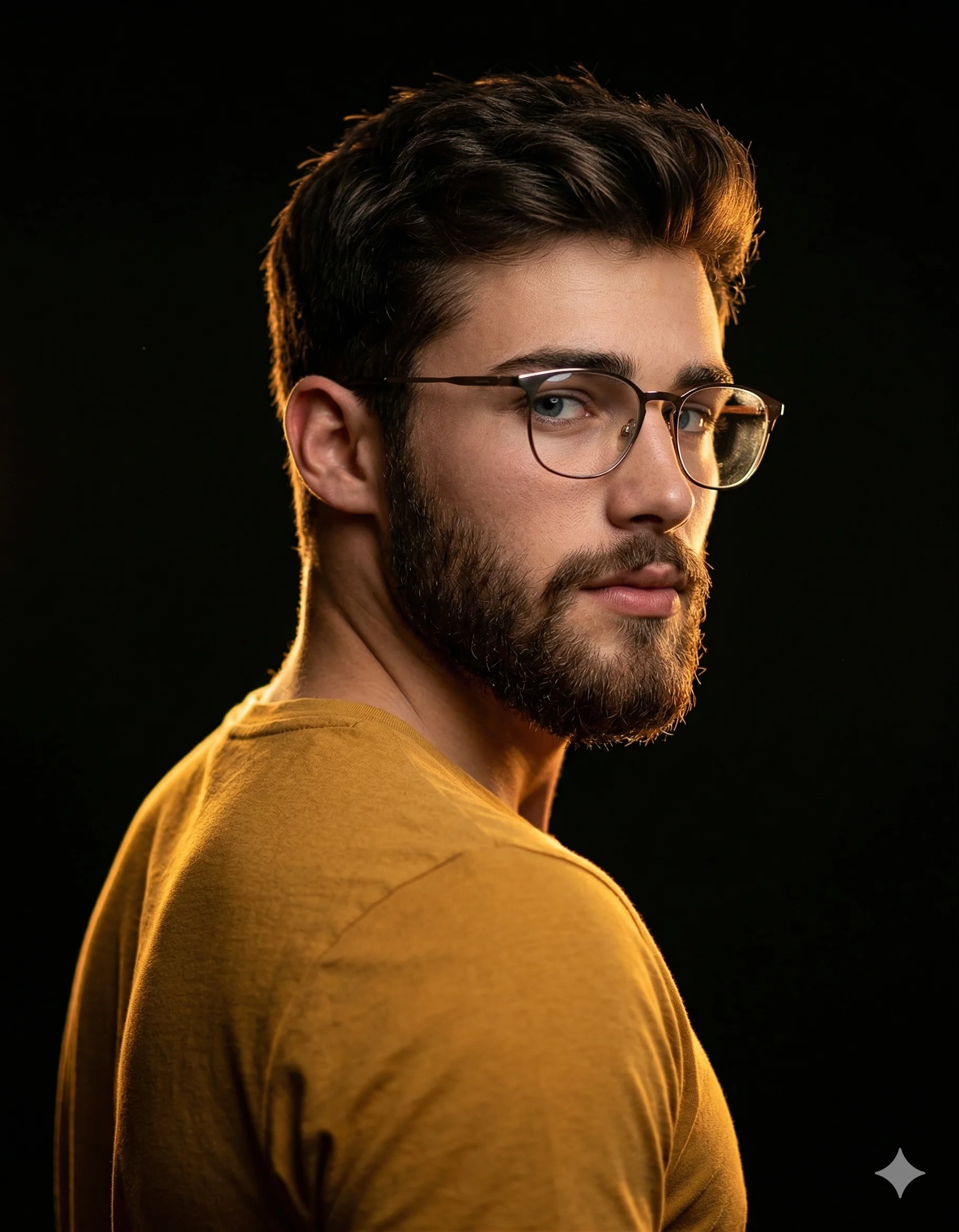
Gilded Rim Profile Picture

Shared by @PromptDrip • Sep 21, 2026

PROMPT

Optimized for Gemini

[Exact Facial Identity from Reference]. Male with dark, textured, naturally styled hair. Wearing modern, thin-framed eyeglasses (brownish-metal tone) with specular highlights and controlled lens reflections. Attire: Fitted mustard-yellow cotton t-shirt, featuring high-frequency fabric texture details clearly defined by the lighting, with parts of the fabric transitioning into deep shadow. COMPOSITION Three-quarter back perspective, with the subject looking directly back over his shoulder towards the lens. This is a dramatic 'character reveal' pose with a powerful, direct gaze. Off-center vertical framing with significant negative space to enhance the cinematic editorial feel. Upright, confident posture with shoulders angled away. LIGHTING High-contrast Chiaroscuro arrangement. Primary high-intensity golden backlight/rim light positioned to create a sharp, glowing halo along the sagittal plane of the textured hair, ear, jawline, and beard contour, and also the back of the shoulder, defining the edge. Chromatic consistency between the warm mustard tones and the golden rim highlights. Subtle secondary soft-fill/bounce to articulate minimal facial geometry—specifically the nasal bridge, zygomatic bone, and eye area—without breaking the low-key, mysterious aesthetic. TECHNICAL SPECS Optics: 85mm f/1.8 prime lens; wide aperture for ultra-fine depth separation. Resolution: 64K DSLR-quality, ultra-hyperrealistic render. Sensor/Settings: Low ISO for noise-free, ink-black shadows; high dynamic range (HDR) to preserve edge-light detail and facial clarity. Rendering: Octane Render, Unreal Engine 5 style; sharp edge definition with soft falloff into a deep, matte-black background (0,0,0 luminosity). Texture: High-fidelity skin pores, individual beard and hair follicles, and microscopic lens dust for maximum photorealism. High-frequency fabric weave of the t-shirt is visible.

ChatGPT Gemini

How to Use This Prompt

Quick 3-step guide to generate or edit your AI photo

1

Copy Prompt

Click the orange Copy button above to copy the prompt text.

2

Open AI Tool

Open Gemini or ChatGPT using the 1-click buttons.

3

Paste & Generate

Paste the prompt, attach your photo (optional), and hit send to get your 8K photo!

💡 Pro Tip: Attach your reference portrait photo with the prompt in Gemini or ChatGPT to generate this exact aesthetic with your own face!

Community Rating

4.6
30 Ratings
5
22
4
6
3
1
2
1
1
0

Rate this prompt

Model or Tool

Gemini

You might also like

8K AI Prompt copied to clipboard!